 Love Tennis
The Voice Assistant
One game, called by voice.
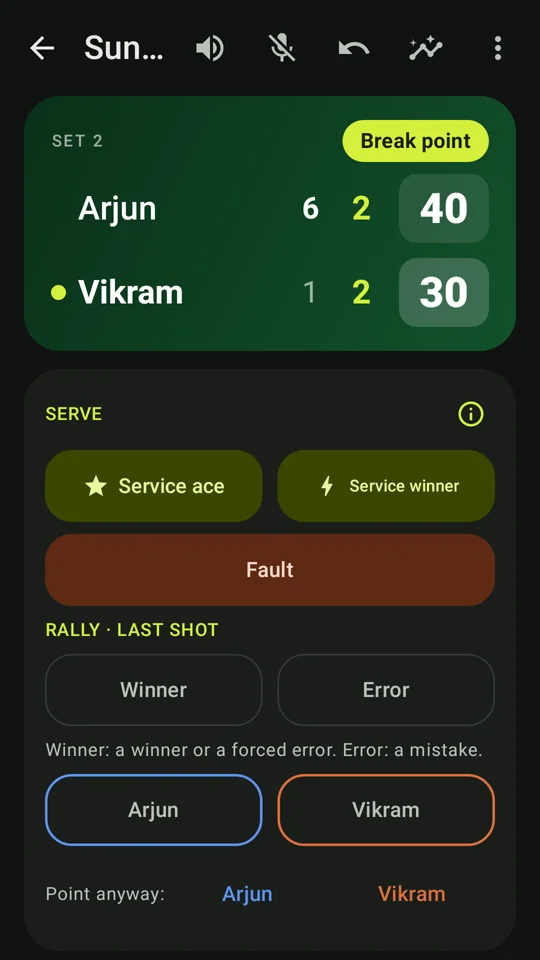
Say “Point” and what happened. Love Tennis keeps the score and the umpire reads it out, server first, with break points and set points.
- Point, ace.Fifteen, love.
- Point, fault.Second serve.
- Point, Vikram winner.Fifteen all.
- Point, Vikram error.Thirty, fifteen.
- Point, service winner.Forty, fifteen.
- Point, what’s the score?Forty, fifteen. Two games all.
- Point, Arjun winner.Game, Arjun. Three games to two.
Every call starts with “Point”, so chatter between rallies is ignored. Made a mistake? “Point, undo.” Works offline after a one-time download, in English for India, the UK and the US.
Umpire: Forty, fifteen. Two games all.
Match video
Every point, on video.
Add the recording from your court camera or a phone on a tripod. Love Tennis finds every point by itself, from the serve to the call, and puts the score on each one.
No scrubbing through an hour
Tap any point and watch just that rally. The score you kept is how each one is found.
Your own highlight reels
Winners, errors and serves, each as one reel. See the shots that won the match, and the ones that lost it.
One recording, every match
Film the whole evening. Every match you played in it gets its own clips, and each player is told when they’re ready.
Private to the players
Only the players of the match can watch. Videos are deleted after 90 days, or sooner if you choose.
- Score the matchBy voice, by tap or on your watch, as you always do.
- Add the videoFrom the app, or at lovetennis.in/video. A court camera export or a phone video.
- Watch every pointYou get a notification when it’s ready, usually within a few minutes.
The camera’s clock needs to be right, because that is how each point is matched to the score.
After the match
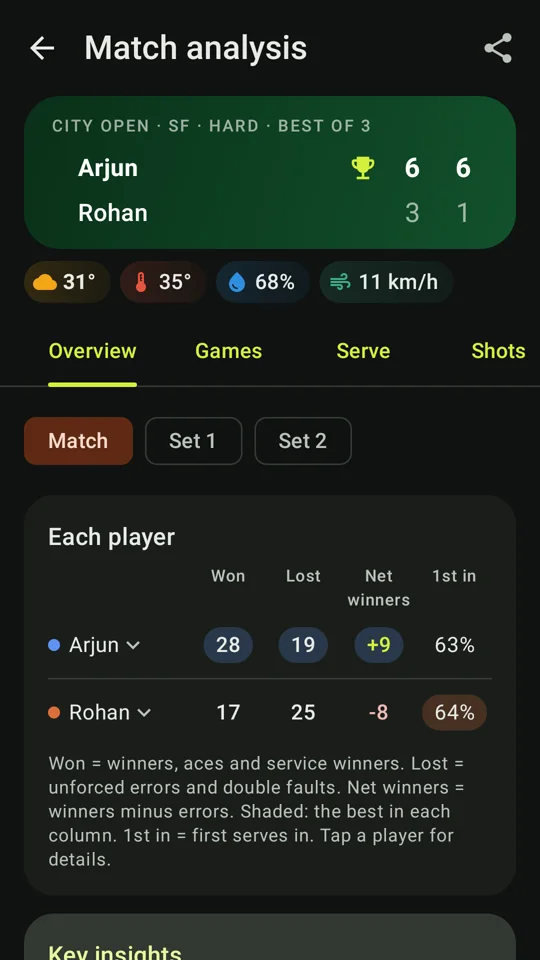
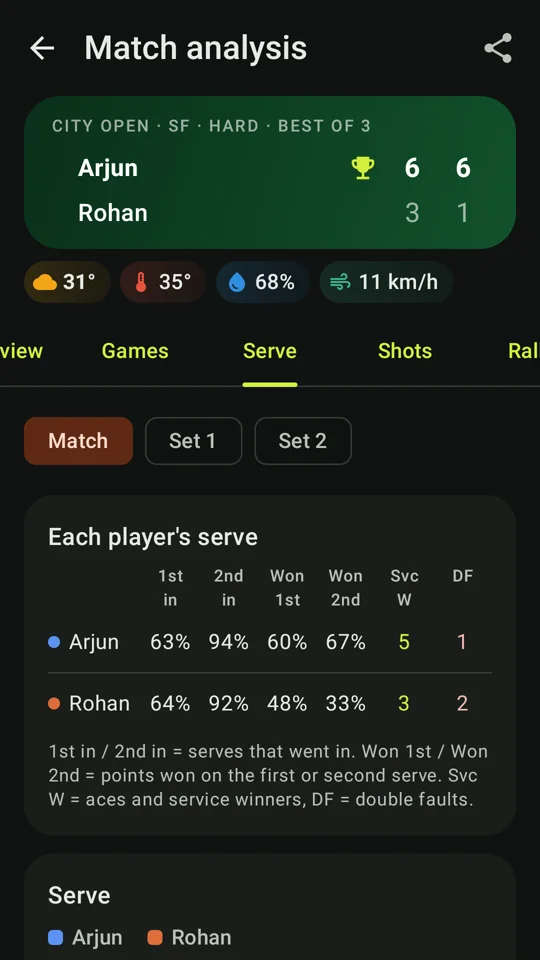
See how every point was won.
- Winners, errors, net winnersFor each player, with the better one highlighted.
- Serve, game by gameFirst and second serves in and won, holds, breaks and love games.
- Shared with your opponentAdd their mobile number and the match appears in their Love Tennis app. Or send a PDF report on WhatsApp.
Which mic
A collar mic hears it best.
About how many points are scored right the first time, from our own matches on court. The app picks up a collar mic, earbuds or a headset by itself. Prefer to tap? Tapping is always 100%.
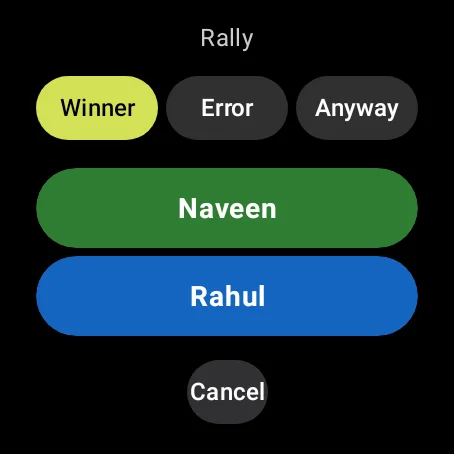
Wear OS
Or score from your wrist.
Tap Winner or Error, then who hit it. Or talk to the watch mic and leave the phone in your bag. The match lands on your phone when you’re done.